


TrendStudy
3.7183.00 Reviews
App Specs
- Version
- 5.5.0
- Updated On
- License
- Free
- Downloads
- 100,000+
- Developer
- RealityMine Services LLC
- Categories
- Lifestyle
- Platform
- Android
Screenshots

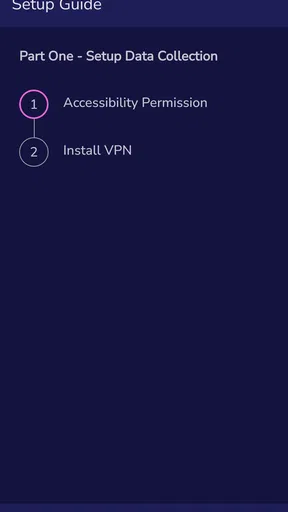
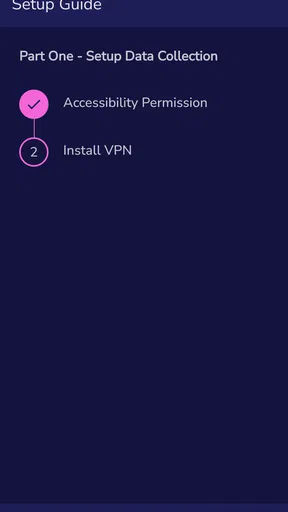
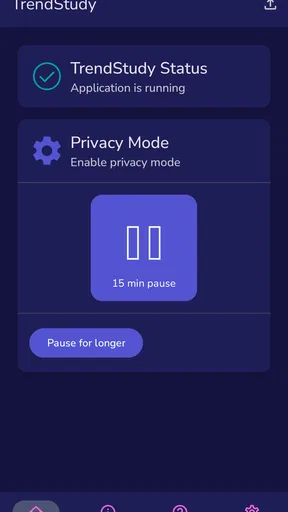
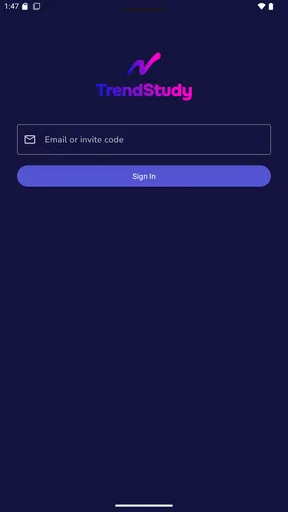
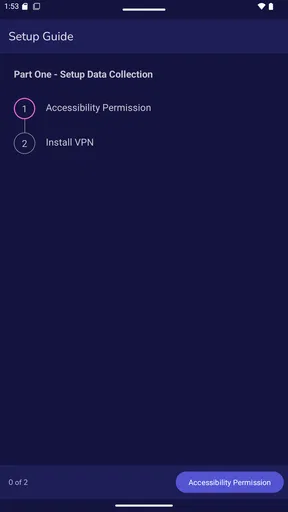
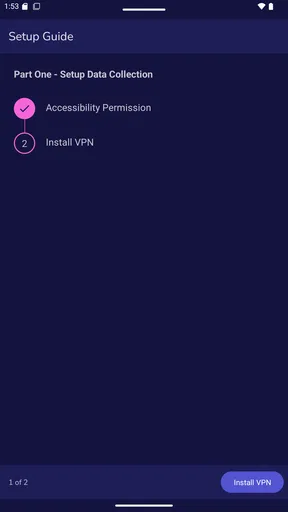
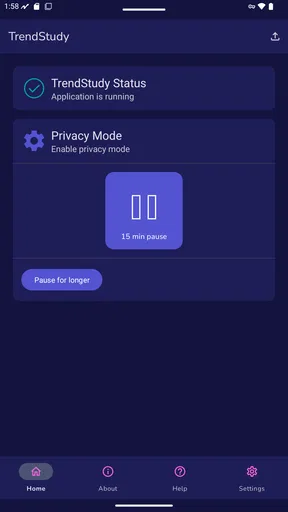
 Analysis by AppCompare
The first-week appeal of TrendStudy is easy to understand: it sounds like a way to take part in market research through a phone app rather than seek out studies yourself. But there is an important distinction to keep in mind. This is an invite-only app for people who have opted into research, not a general trend browser you can open and use without that context. If you already have an invitation and are curious about participating, it may fit neatly into your routine. If you are simply looking for fashion, technology, or social-media trend recommendations, I would look elsewhere.
What the first week can—and cannot—tell you
I’d approach the first few days as a practical test of fit, not as a promise of constant entertainment. Check that you can access the app through your invitation, read what participation involves, and decide whether its place on your phone feels worthwhile. The key question is whether you are comfortable joining the research experience, rather than whether the app can keep you scrolling like a news feed.
That expectation matters because the app’s purpose is narrower than the published article below suggests. TrendStudy is a lifestyle app from RealityMine Services LLC, built around opted-in market research. I would not assume it offers a personalized trend feed, expert articles, or a stream of fashion and tech coverage. Thinking of it as a research participant’s app gives a more useful basis for deciding whether to keep it.
A realistic routine for an invited participant
Imagine receiving an invitation and installing the app during a quiet moment at home. Rather than rushing through any setup, I’d read each screen carefully and make sure I understand what participation asks of me. Then I’d choose a regular moment—perhaps after dinner—to check whether there is anything that needs attention. That small routine is more sustainable than repeatedly opening the app out of curiosity and expecting fresh material every time.
For a student or professional, the appeal is not necessarily that the app supplies research findings for a class or a job. It is that an eligible participant can engage with a research study in the channel provided to them. If your goal is to collect sources, compare industry reports, or monitor a topic for work, a dedicated news reader, library resource, or specialist publication is likely a better tool. TrendStudy should not be treated as a substitute for independent research.
Why invitation-only access changes the comparison
Most lifestyle apps are open to anyone who downloads them: they offer articles, inspiration, shopping ideas, or a feed that works immediately. TrendStudy is different because access depends on an invitation and opting in. That can make it feel less like a public content service and more like a specific doorway into a research activity. For someone who has been invited, that focus may be welcome; for someone who has not, installing it just to browse is unlikely to meet the same expectations.
This also answers a practical question: can every interested user simply sign up and start? No—the invite-only nature is central to how the app is positioned. If you do have access, the next decision is whether the study’s participation requirements suit your schedule and comfort level. I would avoid accepting an invitation just because the app is free; a free download still asks for your attention and should make sense for your circumstances.
Worth Reading Before You Choose

EA SPORTS FC Mobile 26 Is a Bigger Football Game, but It Takes Time

Flipboard Shows What News Apps Must Do Beyond the Feed

Switching to Android Auto Means Rethinking Your Driving Routine

Google Calendar Makes a Crowded Week Easier to Manage

Ludo King Makes the Most of the Minutes Between Plans

Baby Panda World Brings Quick Play to Modern Phones, but Its Game Library Feels Busy
What Makes TrendStudy Stand Out?
First off, let’s talk about the user interface. TrendStudy knows how to make a good first impression. The app is clean, intuitive, and just plain easy to navigate. You won’t find yourself lost in a maze of menus and submenus here. Everything you need is right at your fingertips, from the latest in fashion to the hottest tech innovations.
Now, I’m not one to get excited about yet another app, but TrendStudy does feel different. It’s like having a team of experts curating content just for you. The app analyzes data from all over the web to deliver insights in a way that’s fun and engaging. Plus, it’s continuously updated, so you’re always in the loop.
Features That You'll Love
Let’s dive into some of the features that make TrendStudy a must-have:
- Personalized Trend Feed: Once you set your preferences, the app starts tailoring content to match your interests. It’s like having a personal trend stylist.
- Visuals Galore: The app is rich with photos, videos, and infographics, making it a visual treat. It’s not just about reading trends; it’s about experiencing them.
- Notifications: Never miss out on a trend with timely notifications. You’ll be the first to know about what’s hot.
- Expert Opinions: You get access to articles and insights from industry leaders, giving you deeper understanding and context.
And let me tell you, once you start using TrendStudy, you’ll find yourself checking the app more than your social media feeds. It’s that addictive!
Who Is It For?
Honestly, anyone who loves staying updated with the latest trends will find value in this app. Whether you’re a student researching for a project, a professional wanting to stay ahead in your industry, or just someone who loves to be in the know, TrendStudy caters to all.
And let’s not forget the social media influencers out there. If you want to stay relevant and keep your content fresh, this app is a goldmine. You’ll have endless content ideas and insights to share with your followers.
How to judge its month-to-month value
Once the novelty of installing a new app wears off, recurring value comes down to whether the research activity still feels worth the time it takes. I’d judge that month by month rather than assume the experience will provide a steady stream of updates. A research app may be useful in the periods when you have an active reason to participate, but it is not automatically a daily destination just because it sits on your home screen.
A helpful habit is to connect checking the app to a moment you already have, instead of letting notifications dictate your day. If an alert arrives while you are busy, deal with it later when you can give the task proper attention. If you find yourself opening the app out of habit but not getting anything useful from that visit, reduce that routine rather than turning it into another source of screen time.
There is also a sensible trade-off in keeping a research app installed: the value is tied to your participation, while the app may not serve the broader browsing needs that a general lifestyle feed does. For readers who want recurring inspiration or frequent news, a publication or curated reading app is the more predictable choice. For an invited user who values taking part in a study, the narrower purpose may be precisely the point.
Maintenance, attention, and privacy-minded choices
Maintenance is not only about updating an app. It also means periodically checking whether you still want to participate, whether the app’s role on your phone remains clear, and whether you are comfortable with the choices presented as you use it. I would read the in-app explanations rather than rely on assumptions about what any research app collects or how it works. That is a more useful habit than granting access reflexively or treating every prompt as routine.
If your interest changes, there is no need to keep an app simply because you installed it after receiving an invitation. Review your participation options in the app and decide whether continuing fits your current priorities. This is especially relevant if you share a device, have limited storage, or try to keep notifications to a minimum. A clean home screen and fewer interruptions can be worth more than keeping a rarely used app around.
The app is free, rated for Everyone, and its current version is 5.5.0, with Android support starting at version 8.0. Those details make it accessible to many Android users, but they do not determine whether a particular study is a good personal fit. Its average rating is 3.3 from around 75 ratings, with 17 written reviews, and it has over 10,000 installs. I’d treat those figures as modest context, not a substitute for understanding the invitation and participation terms that apply to you.
Where fatigue can set in
The main source of fatigue is a mismatch between expectation and purpose. Someone who installs the app hoping for a constant stream of viral topics, creator inspiration, or expert commentary may soon feel that it is not doing the job they wanted. The name can suggest trend discovery, but the more useful way to approach it is as a research-participation tool. Keeping that distinction in mind avoids expecting it to compete with social networks or content aggregators.
Another possible friction is the commitment implied by opting in. Even when participation is convenient, it takes attention, and an invitation does not mean you must accept. I would think about whether you can give the study a suitable amount of focus before joining. If you are already trying to reduce screen time, avoid interruptions, or keep your phone for essential tasks, skipping it may be the healthier decision.
It is also worth separating usefulness from frequency. An app can be worthwhile without being opened every day, but an app that rarely serves your needs can become clutter. If you notice that the research activity no longer fits, reassess rather than leaving it installed out of obligation. That small check helps keep the app’s presence intentional instead of letting novelty turn into background noise.
Who should keep it, and who should pass
I’d recommend considering TrendStudy if you have been invited to participate, understand the study’s terms, and are comfortable giving it a place in your routine. Its strongest use case is specific: an opted-in participant wants to engage with market research through the app they were directed to use. That is a narrower audience than people who simply enjoy lifestyle content, but for the right person the focus can be useful.
I would skip it if you are looking for a public browsing experience, a research database, or a dependable source of trend news. It is also not an obvious fit if you dislike study participation, do not want another app competing for attention, or would rather keep your phone limited to tools you use frequently. In those situations, a news reader, a specialist publication, or no additional app at all may serve you better.
TrendStudy was released on February 24, 2026, and its invite-only model should guide expectations more than the lifestyle label does. The key question is not whether it can replace every other app in that category; it is whether you have a genuine invitation and a reason to take part. If the answer is yes, try it deliberately and review the fit after you have settled into the experience.
Final Thoughts
In a world where trends change at lightning speed, having an app like TrendStudy is a game-changer. It’s like having a personal trend assistant that’s always working around the clock for you. Sure, there are other apps out there, but few offer the depth and breadth of insights that TrendStudy does.
So, if you’re ready to never miss a beat and always stay one step ahead, give TrendStudy a try. It’s available for both Android and iOS, and their download links are just a click away. Trust me, you won’t regret it.
Pros
- User-friendly interface for all skill levels.
- Comprehensive market analysis tools.
- Real-time data updates and alerts.
- Customizable dashboards and reports.
- Wide range of supported assets.
Cons
- Requires a stable internet connection.
- No offline mode available.
- Limited features in free version.
- Occasional lag in data refresh.
- Advanced tools can be overwhelming.
FAQs for TrendStudy
What is TrendStudy and how does it work?
TrendStudy is an innovative app designed to track and analyze market trends in real-time. It utilizes advanced algorithms to provide users with insights and forecasts based on current data. By compiling and interpreting large datasets, TrendStudy helps users make informed decisions, whether they're investing in stocks, cryptocurrencies, or other financial markets.
Is TrendStudy suitable for beginners?
Yes, TrendStudy is user-friendly and suitable for beginners. The app offers a comprehensive tutorial section and intuitive interface, making it easy for users to navigate and understand the features. With customizable settings and clear guidance, even those new to market analysis can effectively use the app to enhance their strategic decisions.
What platforms is TrendStudy available on?
TrendStudy is available on both Android and iOS platforms. Users can download the app from the Google Play Store or the Apple App Store, ensuring compatibility with a wide range of devices. This cross-platform availability allows users to access market insights anytime, anywhere, enhancing convenience and flexibility.
Are there any subscription fees for using TrendStudy?
TrendStudy offers both free and premium subscription plans. The free version provides basic features, while the premium subscription unlocks advanced tools and analytics for a more in-depth market analysis. The premium plan is available on a monthly or annual basis, with pricing details accessible within the app or on the official website.
How secure is TrendStudy in terms of data privacy?
TrendStudy prioritizes user data privacy and security. The app employs robust encryption protocols to protect user information and ensure safe transactions. Additionally, TrendStudy adheres to strict privacy policies and complies with international data protection regulations, providing users with peace of mind while using the app.


